
Solitaire review
 Analysis by GetAllApps
I find Solitaire easiest to judge by a simple question: can I settle into a game without having to fight the interface? Mouse Games’ Solitaire is a card game built around the familiar patience format, and its appeal is refreshingly direct. I can pick it up for a brief pause, follow the cards at my own pace, and put it aside when something else needs my attention. That simplicity is a genuine strength, though it also means the experience is best suited to people who want a traditional card pastime rather than a feature-packed game.
How clearly the cards and controls communicate
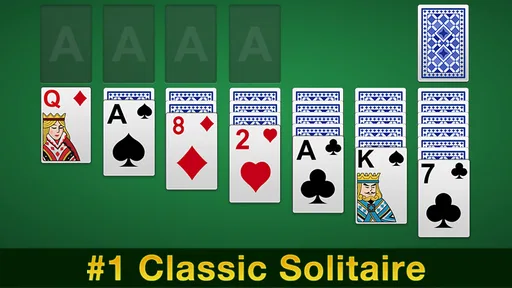
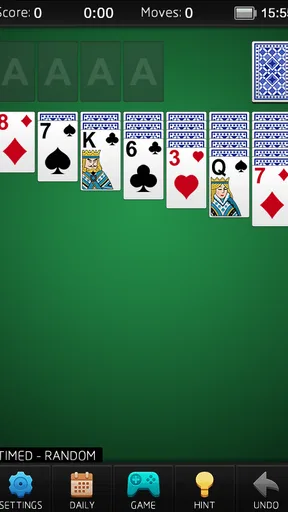
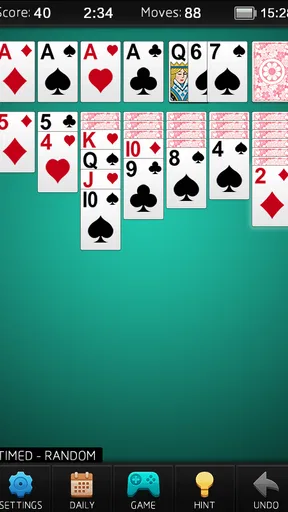
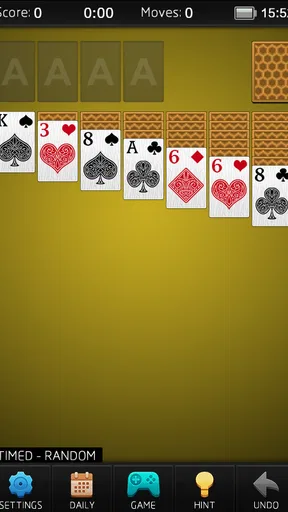
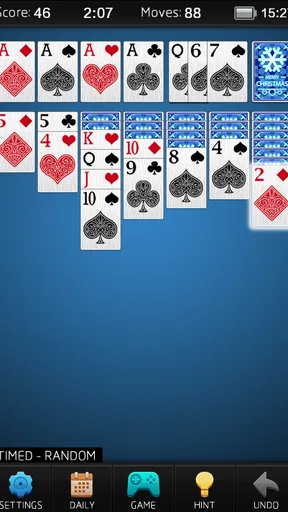
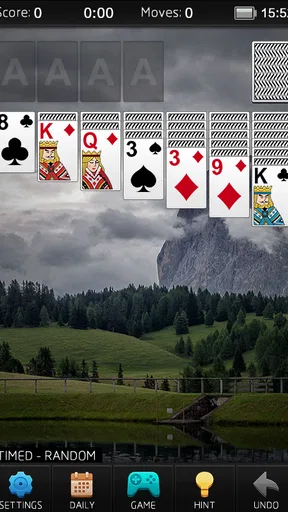
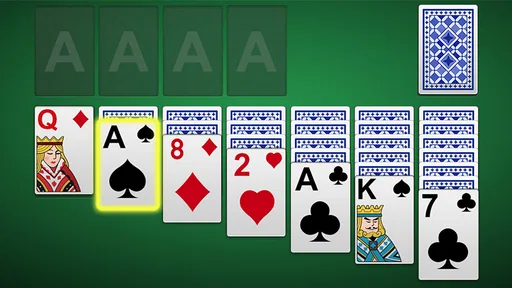
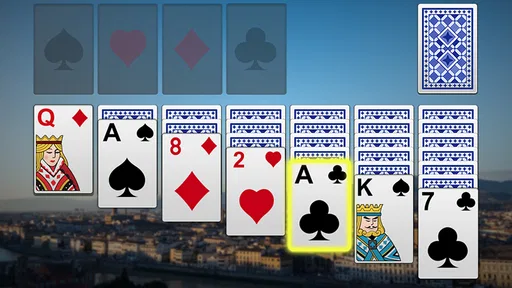
In a solitaire game, readability is not a decorative extra. It affects whether I can scan the tableau, identify a legal move, and keep track of the cards that matter without straining. This version’s familiar card layout gives players a clear starting point: anyone who already knows the usual patience rules can focus on the puzzle instead of learning a new game structure. If you are new to solitaire, the central task is still easy to grasp: sort cards through available moves and build toward completed suits in order.
That familiarity makes the game approachable, but it is worth distinguishing a simple layout from a layout that works equally well for everyone. Card faces and suits need to be easy for you to distinguish on your own device, and comfort can vary with screen size, brightness, and eyesight. I would try a short session before committing to longer play, especially if small text or closely spaced cards usually tire your eyes. The practical test is whether you can read the ranks and suits at a glance without repeatedly leaning in or losing your place.
Navigation benefits from the game’s narrow purpose. There is no need to understand a sprawling collection of modes before beginning a hand, and returning players can rely on their knowledge of the card format. That can be a relief for someone who wants a quick mental break rather than another app to configure. At the same time, anyone who expects extensive personalization, detailed guidance, or a broad range of activities should not assume that a straightforward solitaire title will provide those things.
I also recommend treating each move as a small decision rather than tapping quickly just to clear the screen. When a card could be moved in more than one useful direction, pause to consider whether exposing a hidden card or preserving a flexible space matters more. This habit makes the game feel more like a calm puzzle and less like a reflex exercise. It is useful for beginners because it encourages deliberate play, and for experienced players because it helps avoid moves that look productive but restrict later choices.
A familiar format for different experience levels
People who already play patience will recognize the basic rhythm immediately. For a newcomer, the best way to get comfortable is to watch how one move changes the options elsewhere on the board, rather than focusing only on the card being moved. A seemingly small opening can reveal new possibilities, while moving every available card at once may not be the most thoughtful choice. This is the kind of low-pressure learning that suits a casual card game: you can develop a feel for the puzzle through play instead of studying a long set of instructions.
The game is free, which makes it easy to try without treating the download as a commitment. Its Everyone content rating also signals that its subject matter is suitable for a broad audience, including families looking for a quiet card activity. That does not mean every player will find the visual or touch experience comfortable, but it does make the game’s basic theme and tone easy to recommend across age groups.
Touch, pace, and sensory comfort
Solitaire is naturally less dependent on fast reactions than many mobile games. I can take time to think through a sequence, stop between moves, and return when it suits me. That slower pace can work well for players who prefer not to deal with rapid animation, competitive pressure, or constant prompts. It is also a good fit for a short waiting-room break: one hand gives the mind something to do without demanding the sustained attention of a story game or the urgency of an action title.
Touch interaction still has practical limits. Card play asks for accurate taps or movement across a compact screen, and that can be awkward for anyone with reduced dexterity, tremors, or difficulty targeting small objects. I would test whether the cards respond reliably with your usual grip and posture. If reaching across a phone is uncomfortable, using the device on a stable surface may help; if precise touch is consistently difficult, a game designed around larger controls or alternative input may be a better choice.
A useful playing habit is to avoid holding the phone in one hand while navigating the board with the other if that makes your wrist or fingers tense. Resting the device and using short sessions can reduce unnecessary strain. This is not a special feature of the game, but it matters because solitaire invites repeated small interactions. The very thing that makes a hand easy to play in spare moments can become tiring when a player continues for much longer than intended.
Sensory comfort is personal, so I would pay attention to the combined effect of card contrast, screen glare, and the surrounding environment. A bright display can be hard on the eyes in a dark room, while reflections can make cards harder to inspect outdoors. Adjusting the device’s brightness and choosing a comfortable position are simple steps that may improve a session. I would not treat the game as automatically accessible just because its rules are uncomplicated; clear rules do not remove visual or motor demands.
When a quick game fits the day
One realistic use case is a short break between errands. I can open a hand while waiting for a pickup, make a few considered moves, and stop when my name is called. Another is a quiet wind-down at home when I want a modest puzzle rather than a stream of new content. Solitaire’s appeal in both situations comes from the same quality: the game asks for attention, but the familiar card logic does not require me to remember a complicated narrative or coordinate with other people.
That convenience has a trade-off. A traditional solitaire session can be absorbing enough to stretch a “quick break,” so I would decide in advance whether I have time for a full hand. It is also not the right choice when you want social play, a changing set of challenges, or a strong sense of progression. In those cases, a multiplayer card game, a puzzle title with varied stages, or a physical deck shared with another person may serve you better.
Compared with other mobile solitaire options, the main reason to choose this one is its direct focus on the familiar card pastime. A more elaborate alternative may offer extra modes or customization, which can be valuable if variety is your priority. A physical deck avoids touchscreen targeting and can be easier for some players to see when spread across a table, though it needs space and setup. The better option depends less on which format is universally superior and more on whether you value immediate phone access, richer features, or a larger and more tactile playing surface.
What to expect from Mouse Games’ version
Mouse Games has made this a focused card game rather than an all-purpose entertainment package. The store identifies it simply as solitaire, and that narrow identity sets a reasonable expectation: this is for players who want to spend time with a familiar patience game. It should not be mistaken for a collection of unrelated card games or a competitive online experience. If your ideal app is one dependable pastime, that focus is a plus; if you want a large catalog, it is a limitation.
The title has an average rating of 4.5 from around 233,000 ratings, with about 44,000 written reviews and over 10 million installs. Those figures show that it has reached a substantial audience, but they do not tell me whether its touch targets or visual presentation will suit an individual player. I would use that popularity as reassurance that it is a well-established choice in its niche, not as a substitute for testing how comfortable it feels on your own phone.
It first appeared on January 18, 2017, and its current version is 5.9. The stated minimum operating system is Android 4.0, a broad baseline that may make the game relevant to some older devices. Still, compatibility is only one part of usability: an app can run on a phone while its screen size, touch response, or display condition makes play less comfortable. If you use an older device, check that the cards remain legible and the controls respond consistently before settling into long sessions.
Because the game is free, trying it is a low-cost way to see whether this particular presentation of solitaire suits you. I would focus the first few minutes on practical questions: can you read the cards comfortably, can you make moves without accidental taps, and does the pace feel relaxing rather than fiddly? If the answers are yes, the uncomplicated format may be all you need. If you find yourself searching for accessibility adjustments or a different interaction style, it is sensible to move on rather than assume you will adapt.
Who may want another kind of card game
This is not my first recommendation for someone who needs large, highly customizable visuals, alternative input methods, or explicit accessibility controls. Those needs call for an app whose relevant settings and interaction options are clearly suited to the player, or for a tabletop version that can be arranged at a more comfortable scale. Nor would I suggest it to someone who loses interest without multiplayer competition, daily objectives, or frequent changes in rules. Solitaire’s calm repetition is precisely what some people enjoy and what others find monotonous.
It can also be a poor fit when a player’s main goal is to exercise quick decision-making under pressure. The familiar patience format is better approached as a measured card puzzle, with room to think between moves. Conversely, that gentleness is a real advantage for someone who wants low-stakes play without needing to coordinate schedules, learn a complicated system, or keep up with opponents. Knowing which of those moods you are in is more useful than downloading a game simply because it is popular.
A fair inclusive verdict
I see Solitaire as a sensible choice for people who want a familiar card puzzle available on a phone, especially when they value a calm pace and a short learning curve. Its free price, broad content rating, and focused format make it easy to try, while its long-standing audience suggests that the basic proposition works for many players. I would recommend it to a friend who already enjoys patience and wants an uncomplicated way to play during spare moments.
My recommendation is conditional for anyone with visual or motor needs. The game’s simple rules help make it approachable, but they do not guarantee that its cards and touch controls will be comfortable on every device or for every player. Try a brief session in the lighting and posture you normally use, and notice whether reading the board and selecting cards feels easy. If not, a larger physical layout or a mobile alternative with controls and visual options that better match your needs is the more considerate choice.
Overall, Mouse Games’ solitaire earns its place as a straightforward, familiar pastime rather than a feature-rich card suite. I like it most when I want a quiet puzzle that can fit into a pause without asking for a long commitment. I would skip it when I need explicit accessibility adjustments, social interaction, or constant novelty. For players whose priorities line up with its simple format, it offers an easy way to make a few spare minutes feel pleasantly occupied.
Pros and cons
Pros
- Familiar rules make it easy to start playing.
- Short rounds suit quick breaks.
- Undo helps correct accidental moves.
- Hints can help when you get stuck.
- Offline play works without an internet connection.
Cons
- Some deals cannot be completed.
- Hints may reduce the challenge.
- Touch controls can misread quick taps.
- Ads may interrupt play.
- Daily challenges require regular internet access.


